
The Power of Video Testimonials with 10 Tips for Success
Put Your Best Customers on Camera
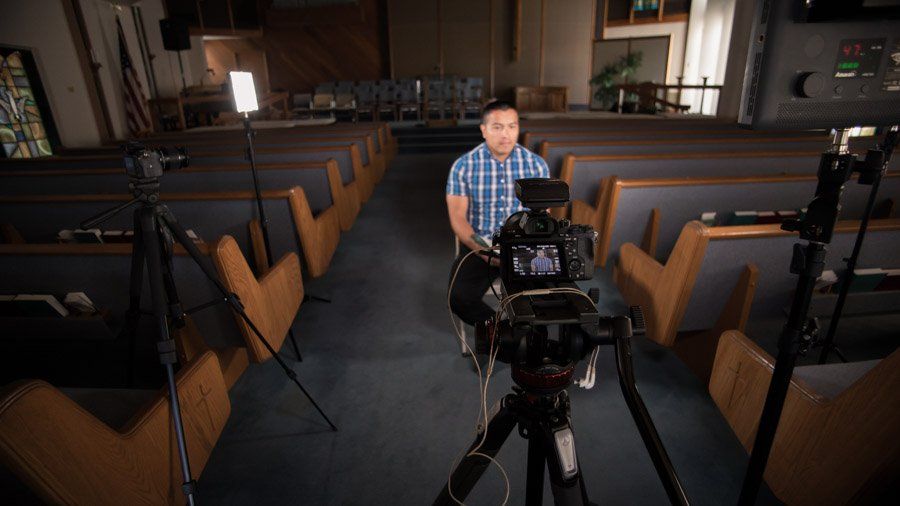
What is a Testimonial Video?
Customer testimonial videos are the best way to let your customers do the talking for you, which is powerful social proof for prospective buyers. Capturing your happiest customers sharing their stories is attaches a relatable narrative to your product or service. This video should feature one customer talking to the camera about how your company has improved their life or business.
The most valuable part of a customer testimonial is getting your customer to vocalize the problem they were faced with and how your company provided a solution. Along with interview footage, this type of video is typically packed with lifestyle shots (b-roll) of your customer using your product or service at their location.
10 Tips for A Great Testimonial Video
- Identify Your Best Customers
Select customers who are not only satisfied with your product or service but are also articulate and comfortable in front of the camera. - Ask Open-Ended Questions
Instead of yes/no questions, ask open-ended questions that encourage customers to elaborate on their experiences. This can lead to more detailed and insightful testimonials. We don't recommend using a script because it can come across as rehearsed and lacking authenticity. - Tell a Story
Focus on the problem solution narrative of the customer's story rather than your business. Highlight the customer's challenges and how they were able to use your business to solve them - Include B-Roll Footage
Supplement the testimonial with relevant B-roll footage. This could include shots of the customer using your product, interacting with your team, or showcasing the service in action. - Quality Production
Use high-quality equipment for filming and recording audio. A shaky or poorly lit video can distract from the message. - Focus on Results
Emphasize the positive outcomes or results your product or service provided. Concrete examples and measurable results are most compelling. - Varied Perspectives
Feature testimonials from different demographics, industries, or use cases. This showcases the versatility and broad appeal of your product or service - Short and Concise
Keep testimonial videos relatively short. Aim for 1-3 minutes to maintain viewer interest and engagement. - Promote Across Channels
Once the testimonial video is ready, promote it across your website, social media, email newsletters, and other relevant channels to maximize its reach. - Include a Call to Action
Conclude the video with a call to action, such as visiting your website, contacting your business, or trying a free trial. Guide viewers on the next steps.
Here is a testimonial video the GoBeRewarded team completed for North County Automotive:
Ready to get started with a Testimonial Video for your business?